
[Guide] How to Pre-download and Redeem Your Invite Key for MU MAX Age Alpha Test - Online
![[Guide] How to Pre-download and Redeem Your Invite Key for MU MAX Age Alpha Test - Online](https://cdn.maxion.game/uploaded/cfcc0374-eec8-4511-94c5-f2f0aa6c6961-1920x1080_PRE-DOWNLOAD_MU.png)
[Guide] How to Pre-download and Redeem Your Invite Key for MU MAX Age Alpha Test - Online
Players who have received an Invite Key can get ready in advance through MaxGame Launcher. Download the launcher, sign in with your registered account, redeem the key, and install the game before play begins.
What you need
The Maxion Account or Google Account (Gmail) used for registration, your Invite Key from email, sufficient PC storage, and a stable internet connection.
■ Step 1: Download MaxGame Launcher
Visit the official MU MAX Age website and select Download to download and install MaxGame Launcher on your PC. Open the launcher when installation is complete.

■ Step 2: Sign in with your registered account
Sign in with your Maxion Account or Google Account. Use the same account that you used to register for the Alpha Test - Online so your access is displayed correctly.

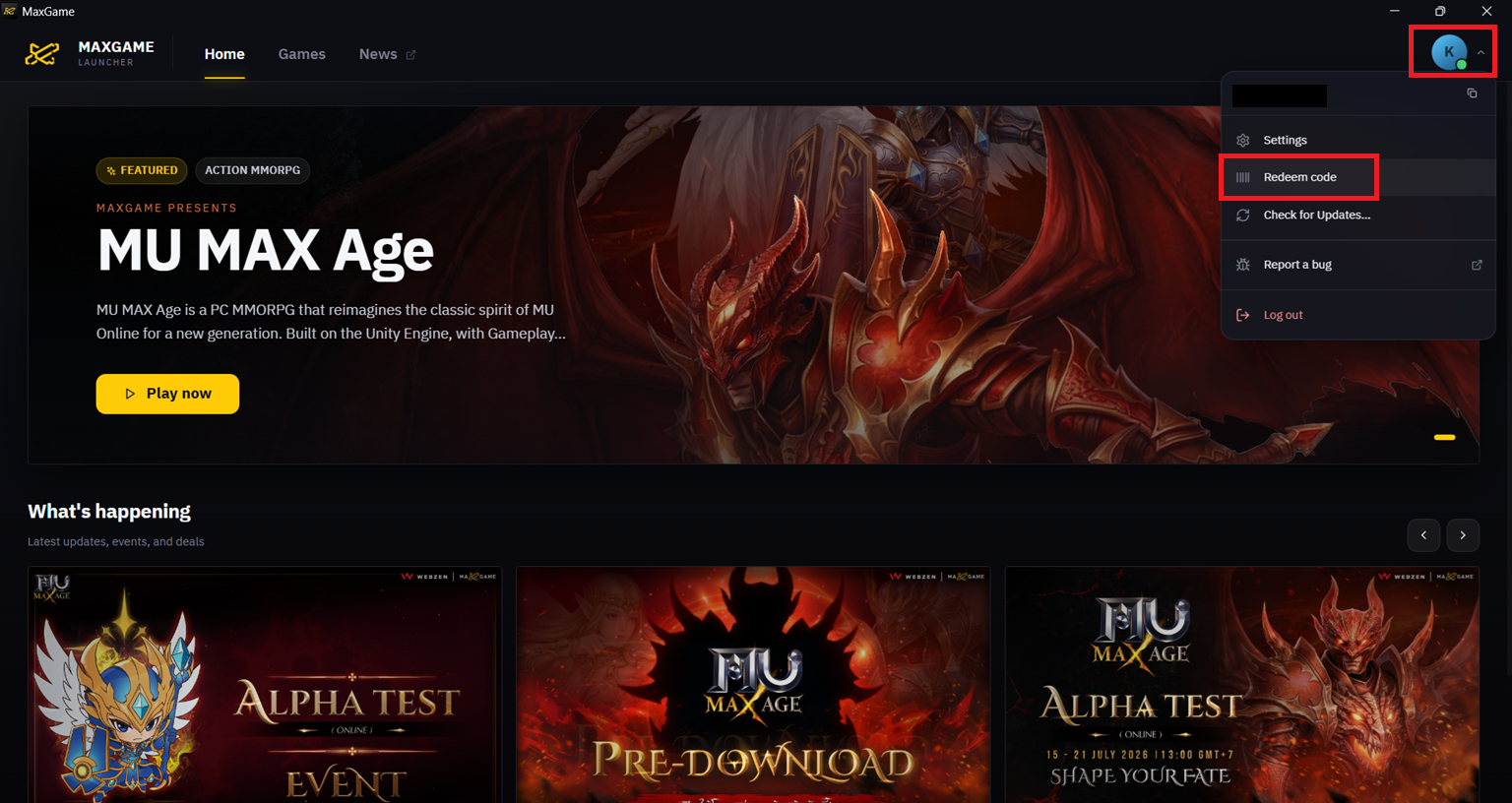
■ Step 3: Redeem your Invite Key
Open the Games tab, select Redeem a coupon, enter your Invite Key in full, and select Redeem. Once successful, MU MAX Age will be added to your account library.

■ Step 4: Install the game
Select MU MAX Age in your Library, then select Install. Choose the installation location and wait for the download to finish. Please check for updates before the server opens, and do not close the launcher while game files are downloading or updating.

Ready to play
Before joining the MU MAX Age Alpha Test - Online, confirm that you have signed in with the registered account, successfully redeemed the Invite Key, and completed installation.